|
|
|
Support Article
| Return to Support / Article: 5212030 |
| Published: Sunday, May 31, 2026 |
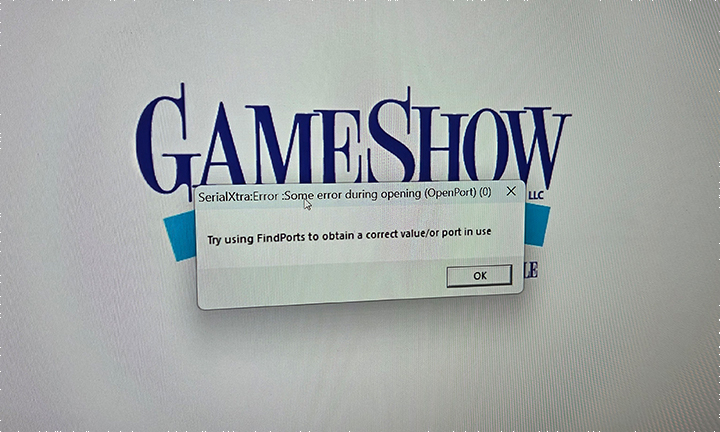
Lately several customers have been receiving a "Try using FindPorts to obtain a correct value/or port in use" when starting one of our software titles. Years ago this problem was unheard of and the program operated fine. Nowadays more and more computers are using bluetooth and in some cases comes in conflict with COM ports used in our software. We found by turning off the bluetooth on your computer while running the software resolves the issue. The software will still run and operate as normal but show the FindPorts error when bluetooth is enabled. The simple steps below resolve the issue.
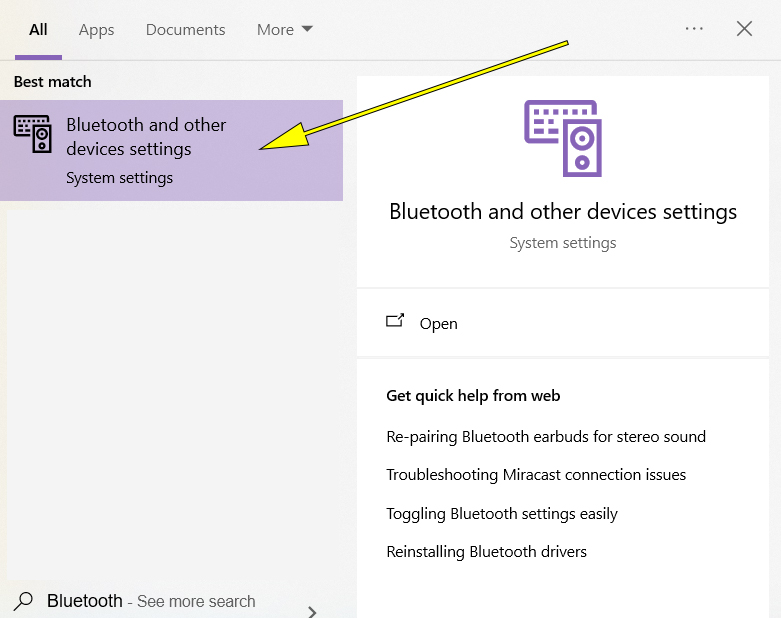
Step 1: In you windows search bar, type "Bluetooth" and click on "Bluetooth and other device settings".
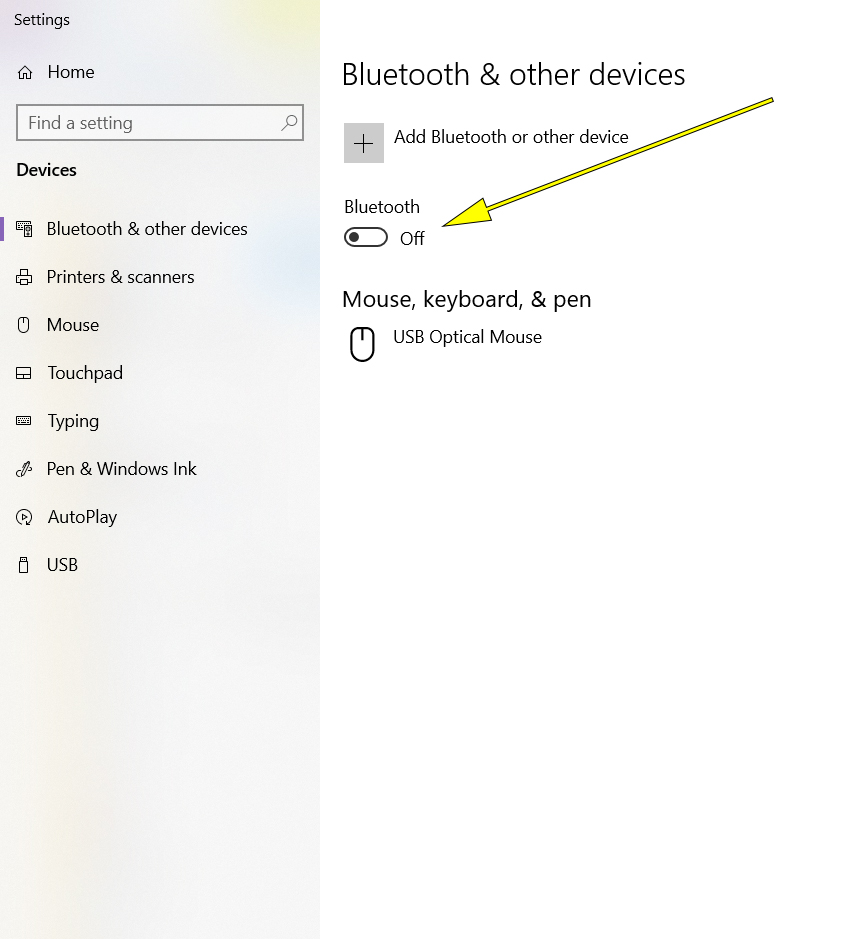
Step 2: Turn off Bluetooth, this should eliminate the error. Note: if you're using a bluetooth mouse, switch to a USB wireless or corded mouse.
|
|
|
|
 Cart is empty


