Game Show Mania Deluxe v91 Database Export Tool
The "Database Export Tool" was created to help in the transition from version 91 to 98. This tool will export the questions and categories from version 91 into an importable file that can be used in version 98.
1. Locate the export file

2. Run the "Database Export Tool"
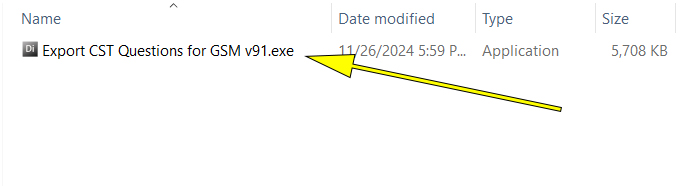
3. Locate the GSM.cst file and export the questions and categories
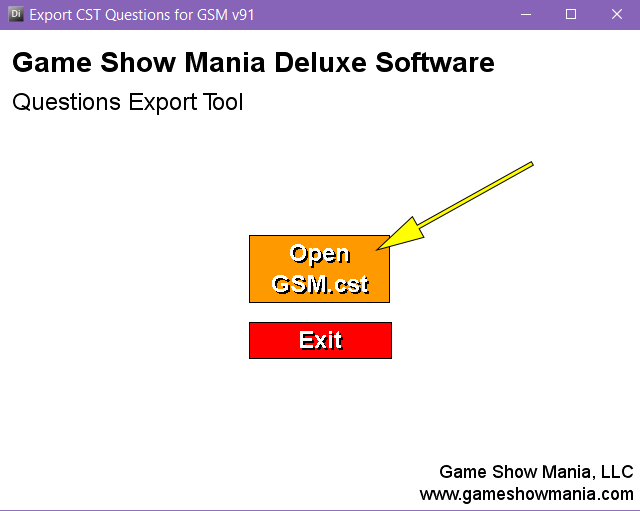
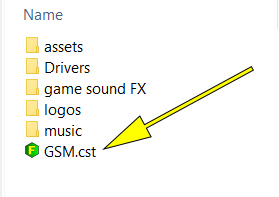
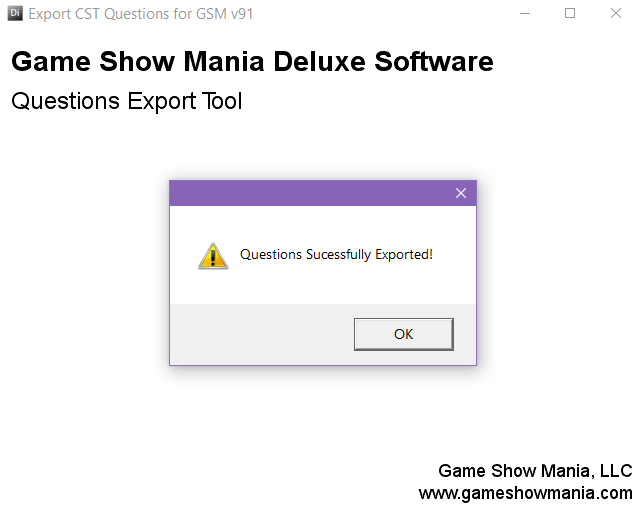
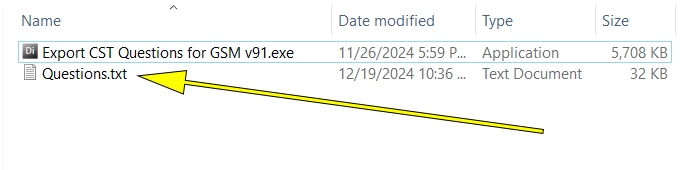
4. Database exported to Questions.txt file
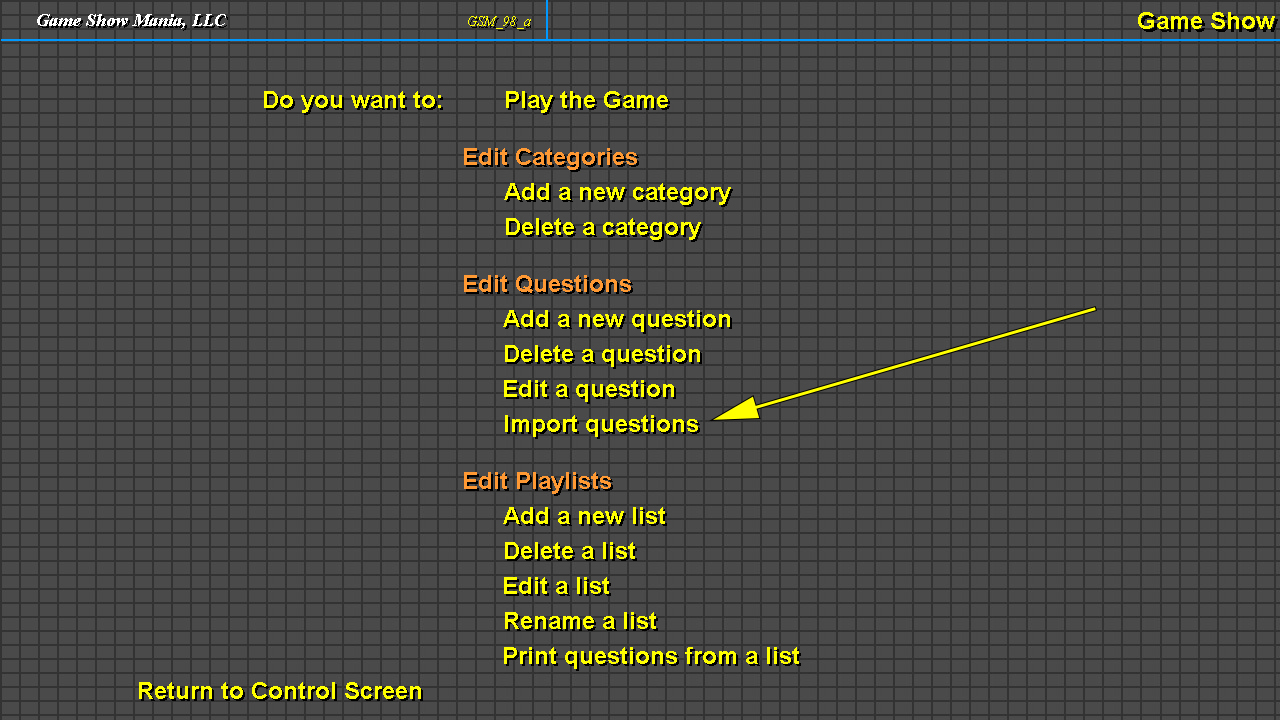
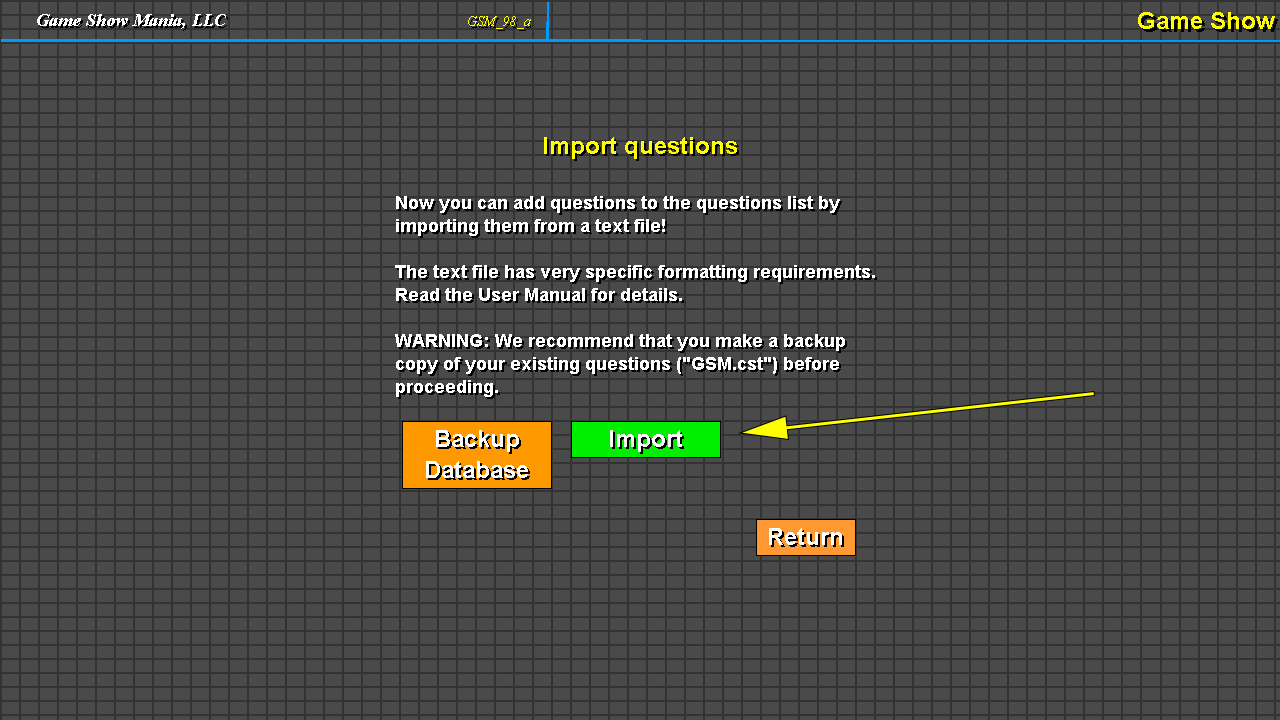
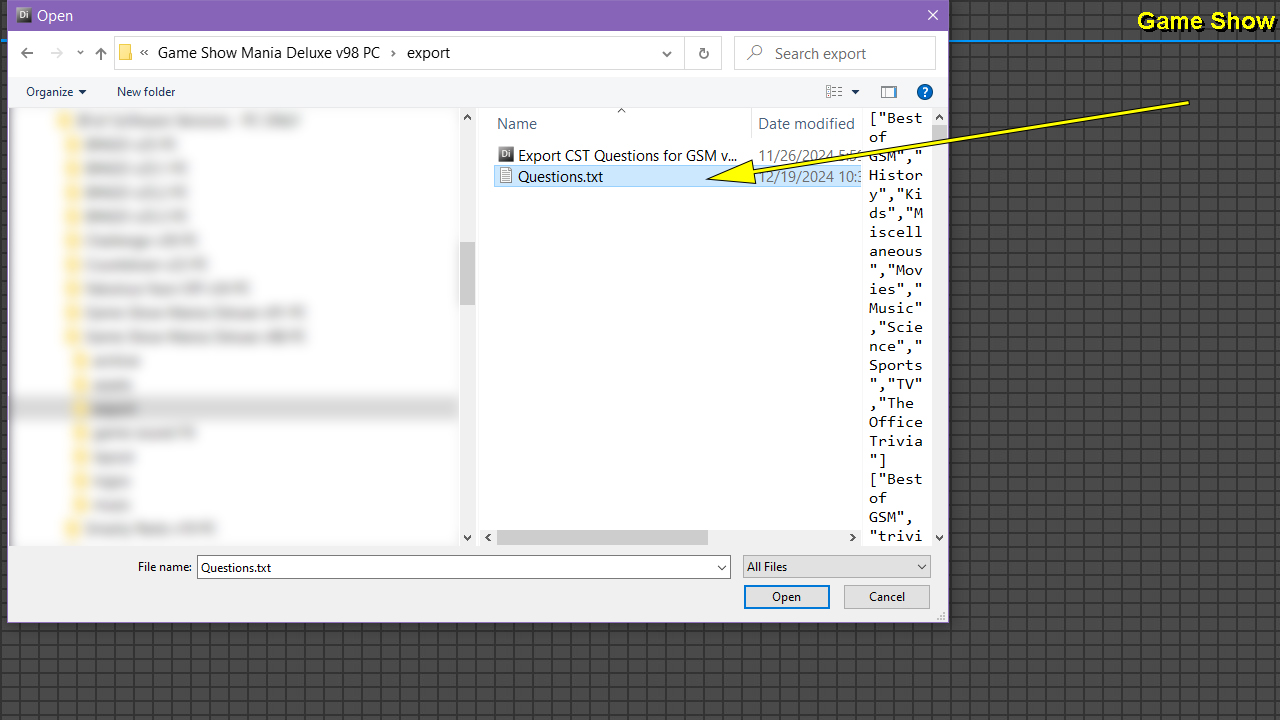
5. Import Questions.txt file into version 98
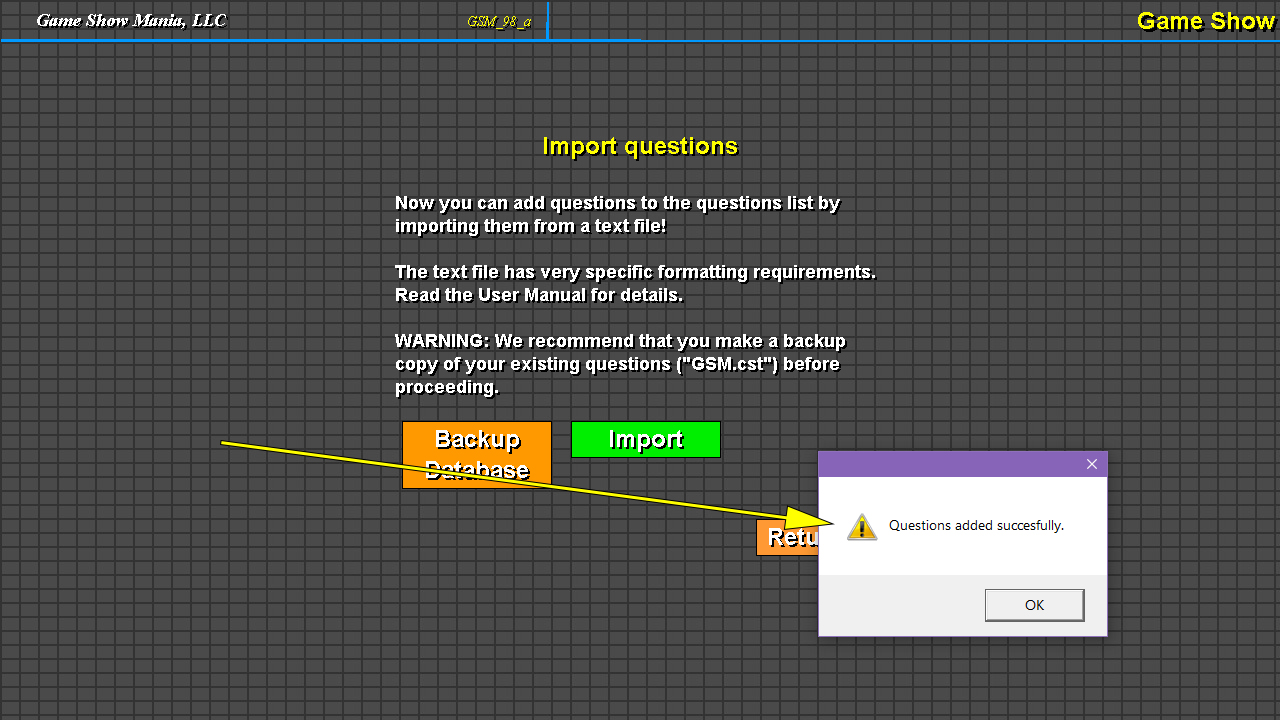
6. Finish copying over assets
Once the import is complete, be sure to copy all of the assets from version 91's "assets" folder over into the "assets" folder in version 98. All playlists will need to be recreated.
|
 Cart is empty


